
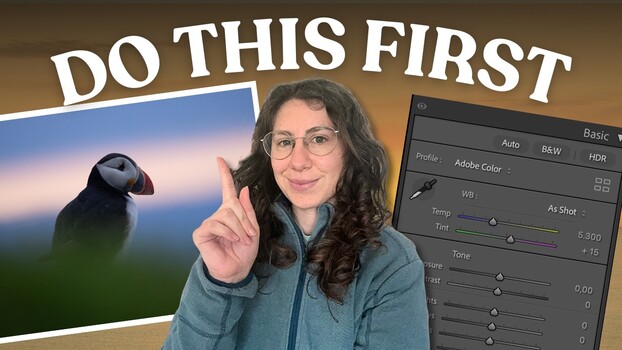

You come back with a strong wildlife frame, open it in Lightroom, and then hesitate. The problem is not the sliders, it is the lack of a plan.
Coming to you from Chiara Talia – Wildlife Photography, this focused video breaks editing into two questions: what is the starting point and what is the vision? Talia argues that most editing advice jumps straight to the “how,” which slider to move, how far, in what order. That works only if direction already exists. Without direction, edits turn into random tweaks, small boosts here, small cuts there, then undo, then redo. You end up with files that all look the same or never feel finished. Her solution is a 60-second photo analysis done before touching a single slider.
She walks through that process using an Atlantic puffin photographed after sunset at ISO 4,000. First comes technical quality. Exposure is read through the histogram, with attention to missing whites caused by backlight and fading sun. Noise is judged realistically, not emotionally. Quick fixes are identified early, including chromatic aberration along high-contrast edges and slight horizon alignment. You see subtle before-and-after changes that do not scream for attention but clean the frame so later decisions rest on solid ground.
Next, she shifts to composition and story. Is this a portrait, an environmental frame, or something in between? The puffin sits slightly off center with soft layers of color behind it, warm sunset tones sliding into blue hour. There is foreground blur adding depth and a curved line that guides the eye. The subject is clear, but a touch dark. The mood is quiet, almost suspended between warmth and cool air. Instead of cropping immediately, she evaluates whether the in-camera composition already supports that feeling. Often it does.
Light and color come next, and this is where many edits quietly drift off course. The scene holds both warm and cool tones, pink and blue in the sky, green in the foreground, black and white in the bird. She studies color separation between subject and background and checks whether any hue pulls attention away. The green foreground, while pleasant, competes with the upper sky. The white balance leans cool due to the time of day. Rather than “correct” everything, she decides what to keep. A slight cool cast supports the blue hour mood. Total neutrality would flatten the emotion.
From there, strengths and weaknesses are listed plainly. Strong composition. Strong warm-cool contrast. Weakness in slight underexposure on the bird’s head. Distracting green near the bottom edge. That clarity steers the edit. Shadows are lifted selectively with a subject mask, focused on the head instead of the whole body. Warmth is added carefully to avoid clashing with the sky. Color range masks deepen blues in the background and enhance pink tones in the warm band of light, while subtracting the subject to keep skin tones believable. A gentle linear gradient reduces exposure and saturation in the foreground green, pushing attention upward without obvious darkening.
Finally, editing goals are defined with precision. Not “make it pop.” Instead, emphasize the contrast between cool and warm while keeping the look natural and intimate. That single sentence filters every adjustment that follows.
The video shows the full sequence inside Lightroom, including masking refinements and subtle color shifts that shape the mood without crossing into heavy-handed effects. Check out the video above for the full rundown from Talia.